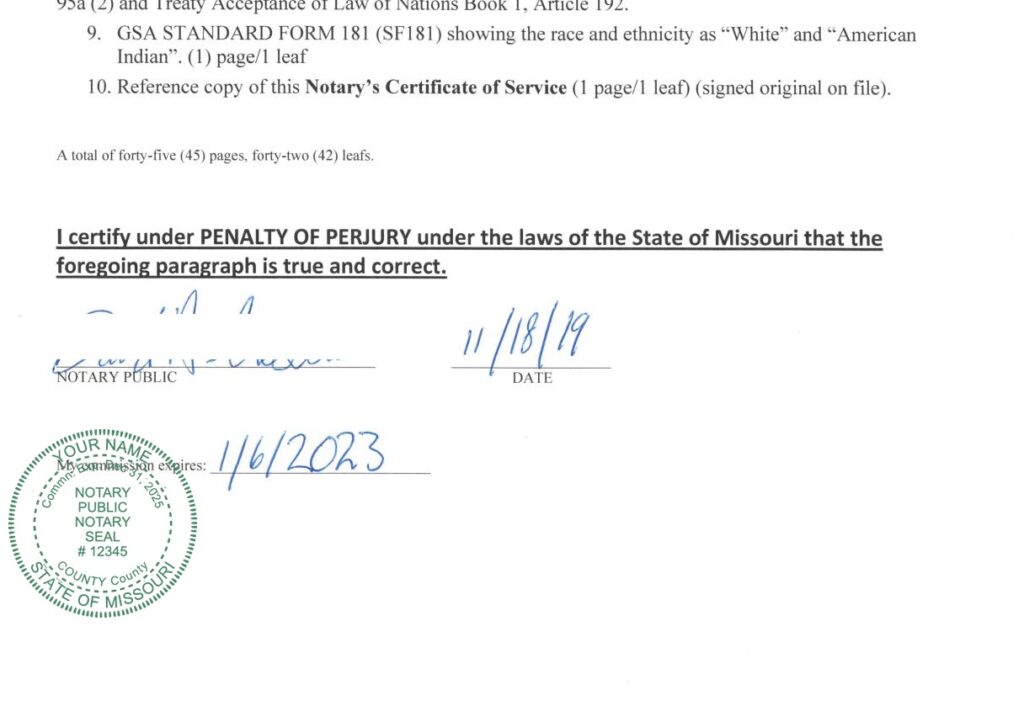
USA NOTARY PUBLIC

ROUND SEAL/STAMP

Select State
Name
Last Name
Commission Id. Number
COUNTY NAME
Date of Expiry of Commission
Month of Expiry of Commission
Year of Expiry of Commission
Select Seal Color:
Background Type:


This Seal has transparent background.Pay 15 USD to remove WATERMARKS.


The following web app(free) will change the color of your downloaded png seal(works on normal type seal with transparent background only).

Change Seal Color

Select Color
Select Seal

This conversion tool works only with Appskou digital seals. Please download your seal from Appskou before converting.


The following web app(free) will rotate your downloaded png seal

Rotate Seal

Rotation Angle(0-360)
Select Seal

This conversion tool works only with Appskou digital seals. Please download your seal from Appskou before converting.


The following web app (free) can be used to change size and convert format (png to jpg or svg) of the downloaded seal

Change Format & Size

This conversion tool works only with Appskou digital seals. Please download your seal from Appskou before converting.

Select Format
Select Seal Size

USA NOTARY PUBLIC

ROUND SEALS - SAMPLE
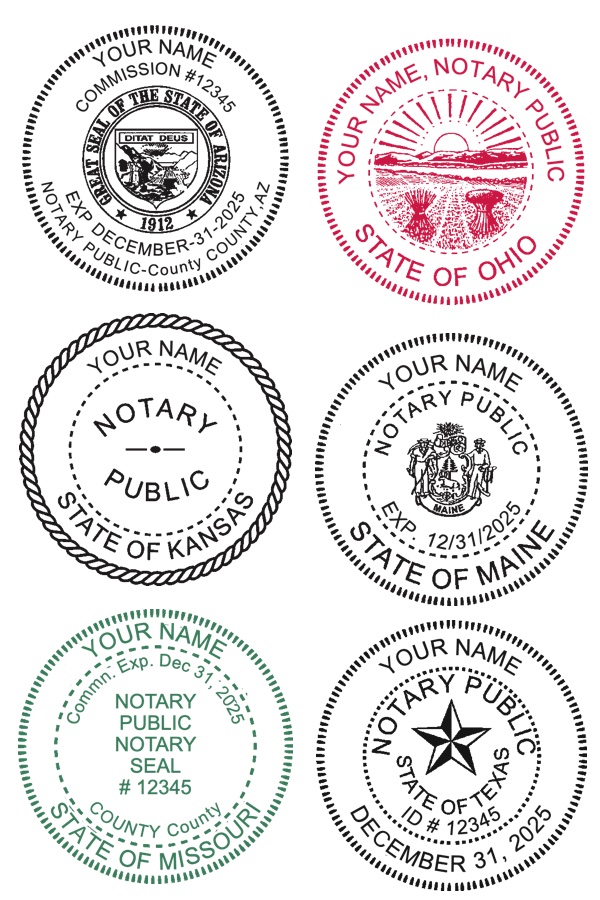
sample seals
missouri
Watch Video

This Page creates digital notary public seal with transparent background.

Create A New Seal:-
  • Select a state
  • Enter Details
    1. Edit Text
    2. English CAPITAL letters are recommended
    3. Leave blank for no text
    4. Select Seal Color
  • Check Preview

Pay and Download the seal.
Click 'PREVIEW' button and Click 'DOWNLOAD SEAL' button to download the seal.
You can also save the preview image.
Watermarks on Preview image will be removed after payment,if you click 'PREVIEW' button.
On computer right click and select save image as.On mobile,long press and select download image.
If you have any issue please write to kalees@appskou.com or kalees36@gmail.com, quoting transaction id/proof of payment.Please attach seal image and icon image if any,if you have any seal design problems.Email response time:- 24 Hrs(May take 48 hrs during weekends).

Please change the Seal size as per above requirements. "Change Seal Size" option and "Convert PNG to PDF" options can be used to change the size of the seal as per requirements.

PRIVACY POLICY:- This web site does not collect or save any user data.It is a Self Service web site.

RETURNS & REFUND POLICY:- Returns and Refunds are allowed.If you have any issue please write to kalees@appskou.com or kalees36@gmail.com, quoting transaction id/proof of payment.


Go to Web Stamper page to launch a browser based web stamper(free of cost)to stamp the downloaded seal on a pdf document.Watch video
Alternatively,Go to StampSeal App page to launch the app and stamp(free of cost) the downloaded seal on a pdf document as Annotation.Watch video

Alternatively,
Go to Paste Stamp App page to launch the app and paste(free of cost) the downloaded seal on a pdf document. Watch video

Alternatively,
if you want to use Acrobat Reader,the following web app(free) will convert your downloaded png seal to pdf seal.Watch video

Convert png to pdf

This conversion tool works only with Appskou digital seals. Please download your seal from Appskou before converting.

Select Seal Size

The following web app will add Grunge effect ( worn out look , old look , imperfect look) to your Seal:-

Add Grunge Effect

This conversion tool works only with Appskou digital seals. Please download your seal from Appskou before converting.